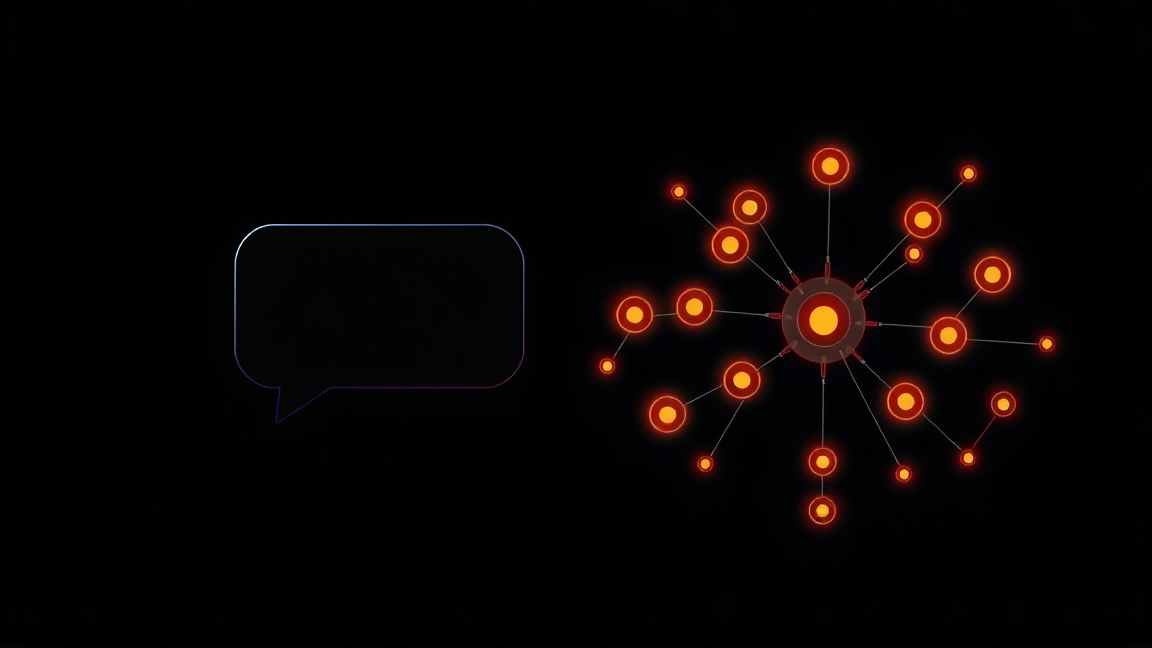
If you've searched for "ai agents vs chatbots," you're probably trying to answer one practical question: which of these two things should I actually spend money on this quarter? The short version — a chatbot answers questions, an AI agent completes work — is accurate but too thin to make a buying decision on. What matters is where the boundary sits in practice, what each one costs to run per task rather than per seat, and in what order a small business should introduce them so you don't pay for autonomy you can't yet supervise. This guide covers all three, with concrete numbers and a rollout sequence you can copy.
AI Agents vs Chatbots: The Five Differences That Matter
The distinction isn't about the underlying model. Both are usually built on the same large language models. The difference is in the scaffolding around the model — and it shows up in five specific places.
1. Unit of work. A chatbot operates per turn: you send a message, it returns an answer. An agent operates per task: "find every unpaid invoice over 30 days, draft a reminder for each, and show me the drafts." The task may take twenty model calls and a dozen tool calls before it reports back.
2. Access to tools. A chatbot only generates text. An agent can call functions: read a mailbox, query a database, fetch a web page, edit a file, run code, drive a browser. Tool access is the single feature that turns "a model that talks" into "a model that does."
3. Control of the loop. A chatbot waits for your next message. An agent decides what to do next: plan → act → observe the result → revise → continue, without you prompting each step. This is why agents can be handed goals instead of instructions.
4. Memory across sessions. Chatbots traditionally forget you the moment the session ends. Agents are usually paired with persistent memory — facts, past decisions, file contents — so they don't re-research what the team already established.
5. Failure handling. A chatbot fails by giving a wrong answer, which you spot immediately. An agent can fail by doing the wrong thing three steps deep: calling the wrong tool, writing to the wrong file, spending twenty minutes on a dead end. This is why agents need budgets, logs, and checkpoints, and chatbots mostly don't.
AI agent: software that pursues a goal across multiple steps — selecting tools, checking its own intermediate results, and stopping when the goal is met — instead of producing one answer per user message.
A useful mental model: a chatbot is a knowledgeable colleague you consult; an agent is a colleague you delegate to. Consulting is cheap and safe. Delegation is powerful and needs supervision.
The Same Prompt, Two Very Different Outcomes
Take a real request a small e-commerce owner might make: "Our refund complaints went up last month — figure out why."
The chatbot version: you paste in whatever data you have handy, it offers five plausible hypotheses ("shipping delays, product quality, pricing changes…"), and it stops. You still have to go do the analysis. Output: plausible words. Value: modest.
The agent version: it pulls order and refund records from your CSV or database, groups refunds by reason code and product, checks delivery-time data against the previous month, cross-references support ticket themes, and returns a short brief with the top three drivers, the numbers behind each, and links to the underlying rows. Output: a conclusion you can act on in Monday's meeting.
Same prompt. Same model intelligence. The difference is entirely in whether the system can take actions and verify intermediate results.
The trap to avoid is assuming agents are always better. If the question is "what's our return policy?" or "how do I word this email?", a chatbot answers instantly at a fraction of the cost of an agent run, with zero risk of the tool loop going sideways. Use agents where there is a *sequence of steps with verifiable intermediate results*. Use chatbots where the answer is the deliverable.
What It Actually Costs to Run
This is where the ai agents vs chatbots decision usually gets settled, because the two cost profiles are completely different.
Chatbots are cheap per interaction. A typical support answer is 500–1,500 tokens. Even on a premium model at roughly $2.50 per million input tokens and $10 per million output tokens, that's a fraction of a cent per conversation. The business cost is almost entirely the seat subscription if you buy through a SaaS assistant: commonly $20–$40 per user per month, whether people use it or not.
Agents are cheap per outcome — and expensive per step. A single agent task often consumes 20,000–100,000 tokens across planning, tool results, and revision. That lands somewhere around $0.10–$0.60 per completed task on mainstream APIs. Sounds like a lot compared to a chat answer, until you price the human hour it replaces: a research brief that costs $0.40 in tokens and 6 minutes of review versus 2 hours of junior time is an obvious trade.
Three cost levers decide whether your agent bill is sane:
- Model tiering. Not every step deserves a frontier model. Route planning and judgment to a strong model, summarization and formatting to a cheap one, and repetitive extraction to a free local model. Teams that tier well routinely cut agent costs by 60–80% versus running everything on the most expensive model.
- Context discipline. Agent loops get expensive when the model re-reads the same 50-page document at every step. Summarize tool results, cap retrieval windows, and stop re-sending full history after step 12.
- Hard budgets. Set a maximum token or dollar ceiling per task and a maximum step count. An agent that hits its budget should stop and report what it found, not keep digging.
Two structural cost choices matter as much as the numbers. Per-seat SaaS means your bill scales with headcount, not usage. Bring-your-own-key deployments mean you pay the model provider directly at their list price with no markup on tokens, and idle months cost almost nothing. And if part of the workload can run on local models — drafts, formatting, text extraction, context compression — those steps cost literally zero in API fees.
One pattern worth knowing if you're cost-conscious: you can give each agent its own "brain" — a strong model for the coder, a cheaper one for routine research, and free local models for housekeeping steps — instead of one premium subscription for everything. That per-role model choice is core to how a self-hosted AI team is usually configured, and it's the main reason running five agents can cost less than one seat on a per-user plan.
Get OfficeForge — $199Which One Does Your Business Need — And In What Order
Almost every small business should sequence this in three stages rather than choosing one and skipping the other.
Stage 1 — Chatbot for internal questions (weeks 1–2). Start where there is no blast radius: an internal assistant that answers "how do we do X here?" using your SOPs, policies, and past docs. Measure deflection: how many times a week does someone stop interrupting a colleague? If the answer is 20+, the tool has already paid for itself.
Stage 2 — One narrow agent for one repetitive job (weeks 3–6). Pick a task that is high-volume, rule-shaped, and reviewable — inbox triage and draft replies, weekly report assembly, competitor research briefs, invoice chasing. Scope it tightly: specific inputs, specific outputs, human approval before anything is sent externally. Success metric: cost per completed task and hours returned per week. If you can't name the metric, don't build the agent yet.
Stage 3 — Connect the work (month 2+). Once two or three narrow agents are reliable, connect them to your real workflow: a shared task board, your mailbox, your CRM. This is where "AI as a tool" becomes "AI as a teammate" — and where tool access needs to be scoped per agent, with read-only credentials wherever writes aren't required.
A few judgment calls worth making explicitly:
- Regulated data? Then deployment location is a hard requirement, not a preference. If customer records, health data, or legal files are involved, the runtime should sit inside your own infrastructure, with the model key you control — not inside a vendor's multi-tenant workspace.
- Seasonal or spiky work? Usage-based (bring-your-own-key) pricing beats per-seat licensing almost every time, because idle months cost near zero.
- You want a chat assistant, not a workforce? A per-user assistant subscription is genuinely fine — the OfficeForge vs ChatGPT Teams comparison exists precisely for teams weighing that trade-off against running their own agent stack.
Guardrails: Permissions, Review, and Failure Modes
Agents fail differently than chatbots, so they need different controls.
- Scope credentials per agent. The research agent gets read access; the email agent can draft but not send without approval. Never hand a single agent one master key "for convenience."
- Insert a human checkpoint before external actions. Anything that sends, publishes, pays, or deletes gets a review step. This isn't anti-automation — it's what lets you automate the other 95% without fear.
- Log every tool call. When an agent produces a wrong result at step 14, you need to see step 14. Ask any vendor: can I inspect the full tool-call trace?
- Cap steps and spend. A runaway loop is the most common real-world agent failure. Budgets turn a $40 surprise into a $0.20 aborted run.
- Run a two-week pilot before scaling. Ten real tasks, reviewed by the person who currently does them, compared on accuracy, time, and cost. Agents that survive that test scale well; agents that don't were mis-scoped, not mis-built.
How to Evaluate Any "AI Agent" Tool in 20 Minutes
Vendors blur the ai agents vs chatbots line on purpose. These questions cut through it:
1. Can it take an action, or only generate text? If there's no tool execution, it's a chatbot with good marketing. 2. Show me the trace. Ask for a real run with tool calls visible. Refusal or vagueness is an answer. 3. Where does my data go? Which model providers see it, in which region, and is it used for training? 4. What happens on step 15 of 20? Budgets, step limits, abort behavior, rollback. 5. What's my cost for 100 tasks, not 100 seats? Price the work you'll actually do. For light usage, a one-time self-hosted license plus direct model-key pricing often beats per-seat SaaS outright — run your own numbers through an AI cost calculator before committing.
The Practical Bottom Line
In the ai agents vs chatbots debate, the real question is not which technology is newer. It's what each one costs to produce an outcome, and how much supervision each demands. Chatbots win on questions: instant, cheap, low risk. Agents win on work: multi-step, tool-driven, measurable in hours returned. Most small businesses need both — a chatbot for the questions everyone asks all day, and one or two tightly-scoped agents for the repetitive jobs nobody wants.
Sequence them, don't bundle them. Prove the chatbot internally, prove one agent on one repetitive job, then connect the work. Do that, and by month three you'll know precisely which parts of your operation should be answered, which should be executed, and what each of those outcomes is actually worth.
FAQ
Is ChatGPT a chatbot or an AI agent?
Out of the box it behaves like a chatbot: it answers the message in front of it. It becomes agent-like when you give it tools, memory, and a goal — for example, browsing the web, editing files, or running code until a task is done. The model is the same; the scaffolding around it is what changes.
How much does an AI agent cost to run?
A single agent task typically consumes 20,000–100,000 tokens of model input and output, which at mainstream API rates is roughly $0.10–$0.60 per completed task. Light tasks on cheap or local models can cost near zero. Per-seat SaaS subscriptions are the other common model: $20–$40 per user per month regardless of usage.
Can a chatbot be turned into an AI agent?
Yes, and it is the normal path. Start with the assistant for question answering, then add tool access (email, calendar, files, web), then memory, then multi-step planning. Every step after tool access is what turns a chatbot into an agent.
Do I need an AI agent if I only have 10 employees?
Not necessarily, and not for everything. Small teams get the fastest payback from one or two narrow agents handling repetitive work — inbox triage, research briefs, report drafting — while a chatbot handles internal questions. Buy agents for throughput, not for novelty.
What can go wrong with AI agents?
The main risks are unbounded permissions, silent failures, and cost creep from long agent loops. Mitigate them with scoped credentials (read-only where possible), a human review step before anything leaves the company, task-level budgets, and logs of every tool call an agent makes.